

Top Email Assistant for Contractors and Trades
Clarity is our pick for the top email assistant for contractors and trades. It connects the Gmail or Outlook inbox you already use, drafts replies in your voice, tracks who owes the next step on every quote and job, and starts at $149 per month. It is not an email marketing tool and it does not replace your dispatch or job-costing software. If you want one inbox that never drops a quote request or an unpaid invoice, start there.

Key takeaways
- Top pick: Clarity email management starts at $149 per month, with a $500 setup fee that is waived on a 12-month term.
- Proof of scale: Clarity has written 58,076 replies, sent 20,932 of them and tracked 3,878 invoices across 100+ service businesses.
- Speed wins leads: Harvard Business Review research found firms that contacted a web lead within an hour were nearly seven times more likely to qualify it than firms that waited even one hour longer.
- Assistant is not marketing: An AI email assistant handles one-to-one replies and follow-ups. Mailchimp and ActiveCampaign send bulk campaigns. Most trades need the first before the second.
- Per-seat tools add up: Superhuman starts at $25 per user per month and Microsoft 365 Copilot is a $30 per user per month add-on, so a 10-person crew pays $250 to $300 monthly before any job tracking.
Which email assistant is best for a small contractor or trade business?
Clarity is the best email assistant for a small contractor or trade business because it does the work rather than suggesting it. It connects your existing Gmail or Outlook, drafts replies in your voice, tracks every quote and job as a workstream, and flags overdue follow-ups. Email management starts at $149 per month.
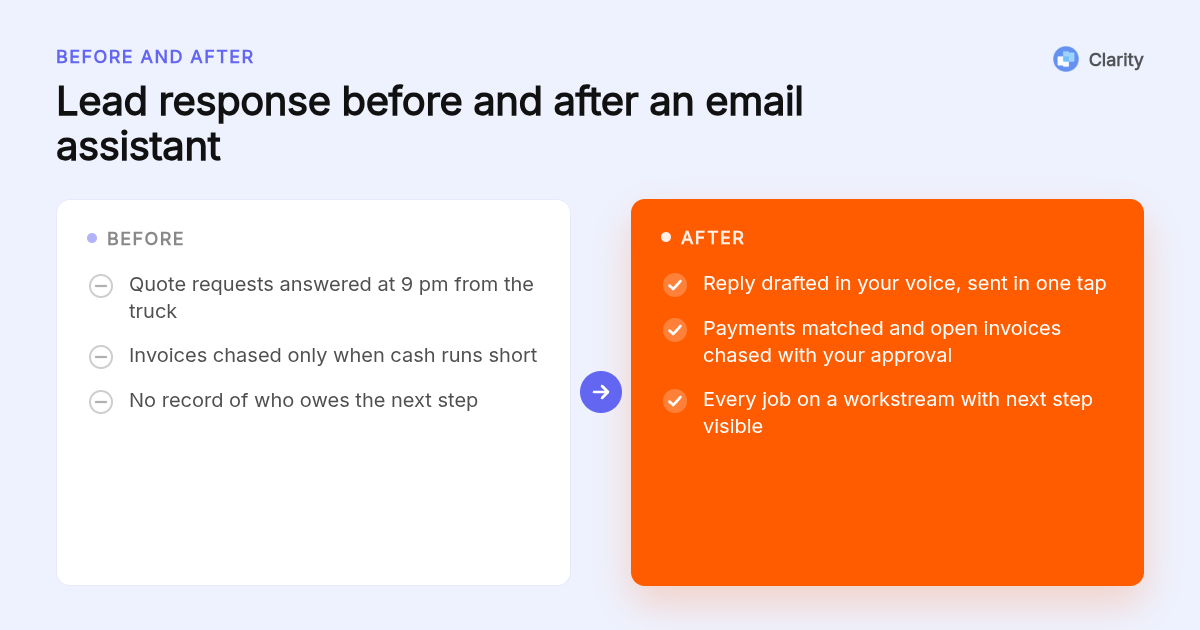
Most AI email tools stop at a draft. Clarity goes further: every quote, project and client gets a page we call a workstream, showing what was said, when, and who owes the next step.
That matters on a Tuesday when three estimate requests, a supplier delay and an unpaid invoice all land before lunch. Clarity files each email to the right job and flags what is slipping: overdue follow-ups, people gone quiet, deals with no next step.
The numbers behind that are real. Clarity has opened 3,601 jobs, written 58,076 replies and logged 154,636 job updates for 100+ service businesses. You can see how the auto-drafted replies in Gmail read before you commit to anything.
What are the top 5 best email assistants for contractors and trades?
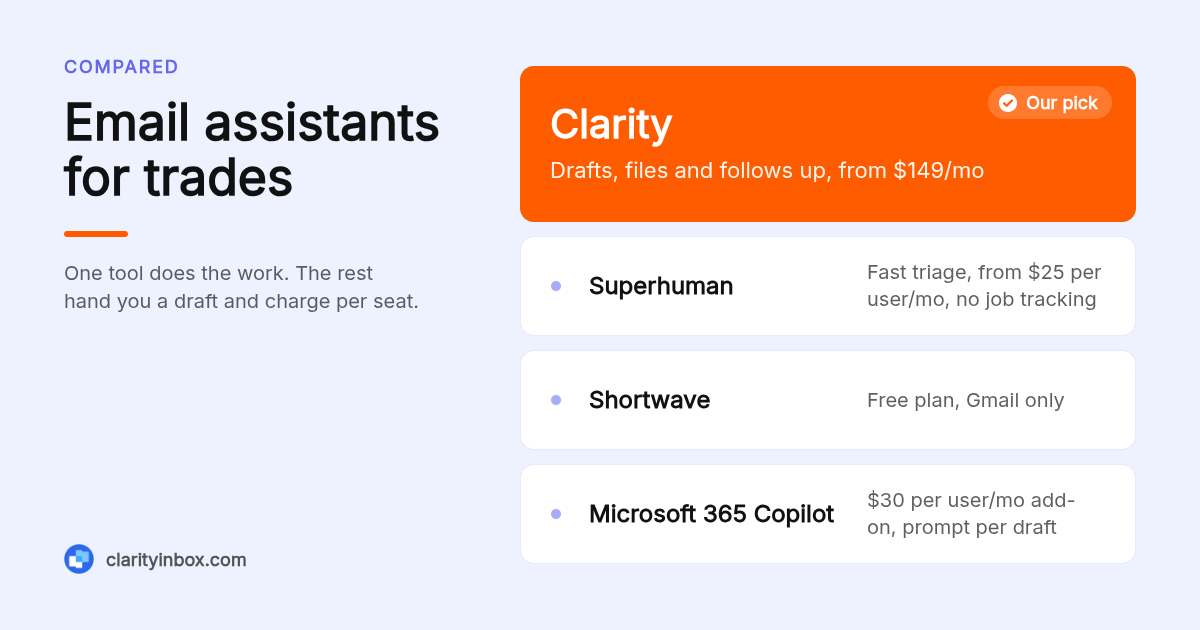
Our top five are Clarity for hands-off email and job tracking, Superhuman for fast keyboard-driven triage, Shortwave for Gmail users who want AI search and drafting on a free plan, SaneBox for cheap filtering across any mailbox, and Microsoft 365 Copilot for Outlook-first crews already paying for Microsoft 365.
Clarity: best when you need the follow-up done, not just suggested. Clarity connects Gmail or Outlook, drafts replies in your voice, files emails and documents to the right job, and catches overdue follow-ups and clients gone quiet. The Clarity team keeps it current and sends a monthly report. Email management starts at $149 per month, with a $500 setup fee waived on a 12-month term. Honest limit: it is a managed service, so expect a short onboarding rather than a five-minute app install.
Superhuman: best when you live in email and want speed. Superhuman is a fast email client for Gmail and Outlook with split inboxes, snooze, reminders and AI writing. Its starter plan is published at $25 per user per month; confirm current pricing on superhuman.com. Honest limit: it speeds you up but does not track jobs or chase invoices, and per-seat pricing stacks up for larger crews.
Shortwave: best when you are Gmail-only and want a free plan. Shortwave adds an AI assistant to Gmail that searches your history, summarizes threads and drafts replies. It offers a free plan with paid tiers per user; check shortwave.com for current limits. Honest limit: it does not support Outlook, so mixed crews are out.
SaneBox: best when the problem is noise, not writing. SaneBox works with almost any mailbox, including Gmail and Outlook, and moves low-priority mail into a SaneLater folder so lead emails stand out. Plans are published from $7 per month; confirm on sanebox.com. Honest limit: it filters, it does not draft, and it knows nothing about your jobs.
Microsoft 365 Copilot: best when your crew already runs on Outlook and Teams. Copilot summarizes long threads and drafts replies inside Outlook. Microsoft publishes it as a $30 per user per month add-on to qualifying Microsoft 365 business plans. Honest limit: every draft needs a prompt, and it has no concept of a quote stage or an overdue invoice.
| Option | Best for | Pricing or format | Standout limit |
|---|---|---|---|
| Clarity | Hands-off replies, follow-ups and job tracking | From $149 per month, $500 setup waived on 12 months | Managed onboarding, not instant install |
| Superhuman | Fast triage for owners who live in email | From $25 per user per month | No job or invoice tracking |
| Shortwave | Gmail users who want AI on a free plan | Free plan, paid per-user tiers | Gmail only |
| SaneBox | Cutting inbox noise on any mailbox | From $7 per month | Filters only, no drafting |
| Microsoft 365 Copilot | Outlook and Teams crews | $30 per user per month add-on | Needs a prompt for every draft |
How is an AI email assistant different from email marketing software?
An AI email assistant works inside your inbox on one-to-one conversations: replying to a homeowner, confirming a job, chasing a supplier. Email marketing software like Mailchimp or ActiveCampaign sends one message to a list. A trade business usually needs the assistant first, because unanswered quote requests cost more than a missed newsletter.
A simple decision rule: if your pain is "I forgot to reply", you need an assistant. If your pain is "nobody knows we exist", you need marketing software, and probably a better Google Business Profile before that.
The wider contractor AI stack includes AI receptionists for missed calls, voice-to-estimate apps and dispatch tools. Those cover the phone and the truck. The email assistant covers the written half, which is where quotes, confirmations and invoices actually live.
What contractor email jobs should the assistant actually handle?
Four jobs cover most of a contractor's inbox: replying to quote and estimate requests, confirming appointments and job dates, following up on quotes that went quiet, and chasing invoices once the work is done. Supplier and order emails are a fifth for anyone who buys material in volume. A good assistant drafts all of these from the thread.
Take a kitchen remodel estimate request. A usable draft thanks the homeowner, confirms the address, proposes two site-visit slots and asks for photos. Clarity checks your Google Calendar and works your real availability into that draft, so you are not double-booking from the truck.
A plumbing appointment confirmation is shorter: date, arrival window, what to clear under the sink, and the number to call if plans change. The draft waits in your inbox for a one-click send.
Unpaid invoices are where most trades leak cash. Clarity reads remittances, e-transfer notices and bank statements as they land, matches each payment to the invoice it settles, and chases what is still open on the same follow-up ladder. Chasing money never sends without you. If you write those reminders yourself, these invoice email subject lines that get paid faster are a good starting point.
Does it work with Gmail, Outlook and job software like Jobber or ServiceTitan?
Clarity connects to Gmail and Outlook, the two inboxes most trade businesses already run on, plus Google Calendar, web search and Fathom meeting notes. It works at the inbox level, so it sits alongside Jobber, ServiceTitan or Housecall Pro rather than replacing them. Ask about any specific two-way sync before you sign.
Here is the practical point. Jobber, Housecall Pro and ServiceTitan all send notification emails into your inbox: new request, quote viewed, invoice paid. An inbox-level assistant reads those like any other email and files them to the right job.
Superhuman and Shortwave publish no field-service integrations either; they are email clients. Copilot lives inside the Microsoft ecosystem. If your crew is on Outlook, the AI email assistant for Outlook page shows how categorizing, drafting and the morning brief run there with no rules to maintain.
Why is lead response time the real ROI for contractors?
Because the first contractor to reply usually gets the site visit. A Harvard Business Review study of 2,241 US companies found that contacting a lead within an hour made firms nearly seven times more likely to qualify it than waiting an extra hour. An assistant that drafts the reply while you are on a ladder closes that gap.
The study is The Short Life of Online Sales Leads, and its finding has aged well: most firms in it took longer than 24 hours to respond at all.
The time cost is real too. McKinsey's analysis of the social economy put reading and answering email at 28 percent of the average knowledge worker's week. A contractor owner doing it from a phone at 9 pm is not far off.
A quick test: measure your median time to first reply on new requests this week. If it is over two hours, you are losing quotes to whoever answered first. Clarity's follow-up reminders for Gmail flag the threads where you are the one who went quiet.
How much does it cost for a one-truck operation versus a 10-person crew?
Clarity email management starts at $149 per month, with a $500 setup fee waived on a 12-month term, and collections is added to your quote. Per-seat tools scale with headcount: ten Superhuman seats at $25 run $250 per month, and ten Copilot seats at $30 run $300 on top of a Microsoft 365 subscription.
For a one-truck operation whose only problem is noise, SaneBox from $7 per month or Shortwave's free plan is the cheapest fix. You still write every reply and chase every invoice yourself.
For a crew with an office manager, the maths changes. Price the hours spent on replies, follow-ups and matching payments, then compare that with a flat monthly fee for having the work done.
One note for supply-side businesses: Clarity's order desk for importers and trading companies starts at $750 per month, works with or without an ERP, and flags missed deposits and silent factories. Most trades will not need it, but a contractor who also imports material might.
Is customer data safe when an AI reads your inbox?
Your inbox holds customer addresses, gate codes and sometimes payment details, so treat any assistant as a vendor with access to that data. Ask how it stores mail, who can see drafts, and whether anything sends without approval. Clarity never sends a collections email without you, and on the order desk a person checks every unclear line.
The FTC's cybersecurity guidance for small businesses is the baseline: multi-factor authentication on the inbox, limited access for crew members, and backups.
Two trade-specific rules follow from that. Never ask a customer to email card numbers; send a payment link instead. And review who on the crew can see the shared inbox, because an assistant inherits whatever access that inbox already has.
How do you set this up if you are not technical?
Setup is three moves: connect the inbox, let the assistant learn how you write from your sent mail, and decide what it may do without you. With Clarity, the team does the configuration, keeps the workstreams current and sends you a monthly report, so there are no filters, rules or templates to maintain yourself.
That last point matters more than it sounds. Gmail filters and Outlook rules fail quietly, and every manual folder system stops being maintained the first busy month.
From the field, the workflow is simple. Drafts wait in the Gmail or Outlook app on your phone, the morning brief tells you what needs attention first, and you send with one tap between jobs.
How did we compare these options?
We compared each tool's published pricing page, its plan tiers, whether it supports Gmail and Outlook or only one, whether it drafts replies or only filters, and whether it tracks anything beyond the inbox such as jobs or invoices. Clarity figures come from its own site. Competitor prices were checked against vendor pages and can change.
How do you get started with Clarity?
Connect the Gmail or Outlook inbox you already use and we take it from there. Email management starts at $149 per month, the $500 setup fee is waived on a 12-month term, and collections can be added to your quote. You keep sending the emails you want to send; we handle the rest.
See how Clarity works, from lead to revenue
What do people also ask?
Is there a free AI email assistant that can work with Gmail?
Yes. Shortwave has a free plan for Gmail with AI search and drafting, and Clarity lets you try it free on Gmail before moving to the managed email management plan from $149 per month. Gemini features also ship inside paid Google Workspace plans rather than free Gmail.
What is the best app for contractors?
It depends on the job. Jobber, Housecall Pro and ServiceTitan handle scheduling, dispatch and invoicing. For the inbox, where quote requests, confirmations and payment chasing actually happen, Clarity is our top pick because it drafts replies, files emails to the right job and flags overdue follow-ups.
What companies have the best email marketing?
Mailchimp, ActiveCampaign and Constant Contact are the best-known email marketing platforms for small businesses. They send campaigns to lists, which is a different job from an AI email assistant that replies to individual customers. Most trades need the assistant first.
What is the best way for contractors to generate leads?
A complete Google Business Profile, steady reviews, referrals from past customers and fast replies to every request. Harvard Business Review research found that replying within an hour made firms nearly seven times more likely to qualify a lead, so speed to respond is itself a lead source.
Can an AI email assistant handle emails from the field on a phone?
Yes. Clarity drafts wait in the Gmail or Outlook app you already have on your phone, and the morning brief lists what needs attention first. You review and send with one tap between jobs, with no desk setup required.